CySo Flow
Run your business, alone or with a whole team.
Quotes, jobs and invoices in one place. Start free on your own, then add people, locations and modules such as staff hours, stock and accounting as you grow.
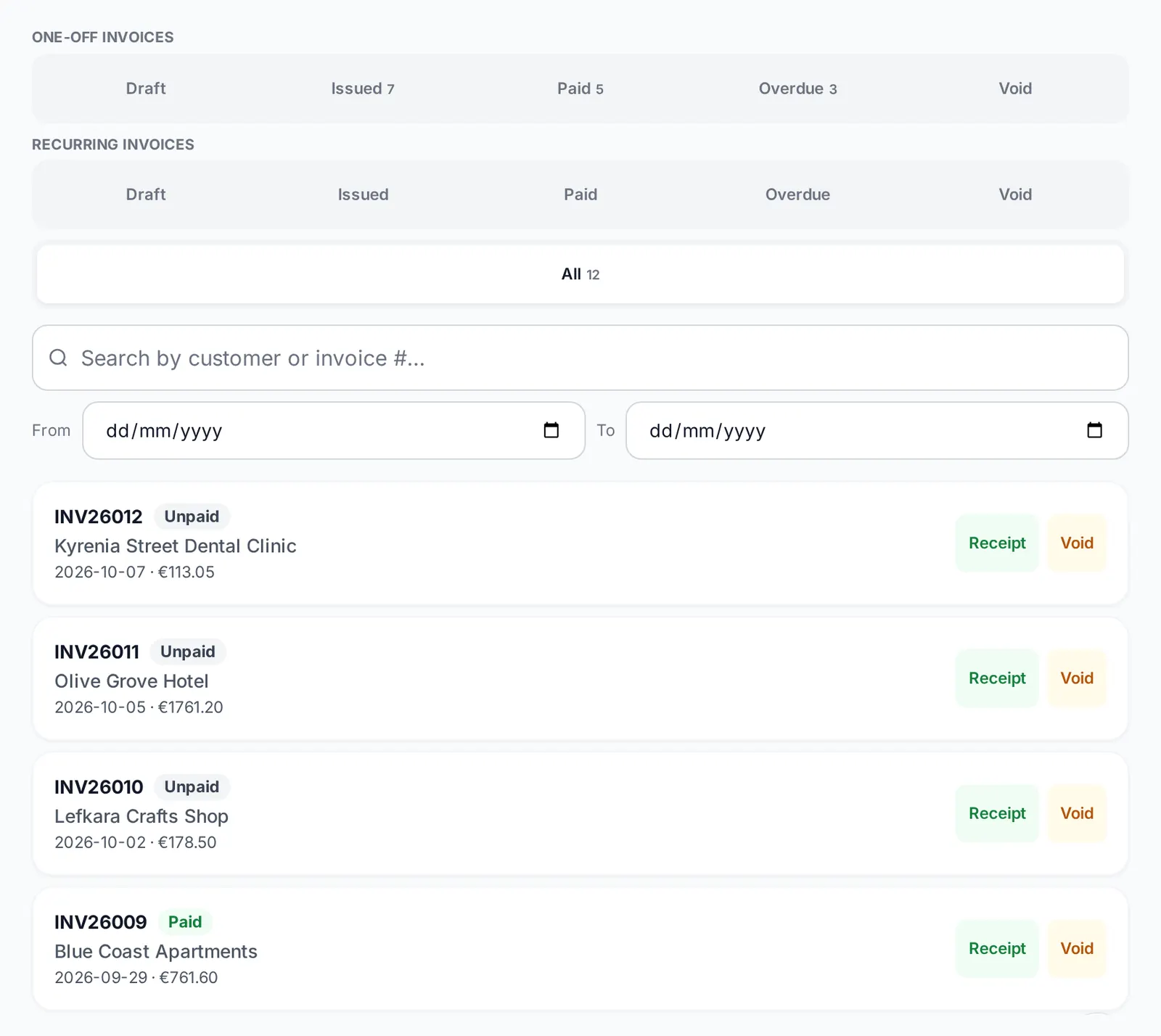
One pipeline, from first quote to filed books
Real screens from Flow, using a demo company.
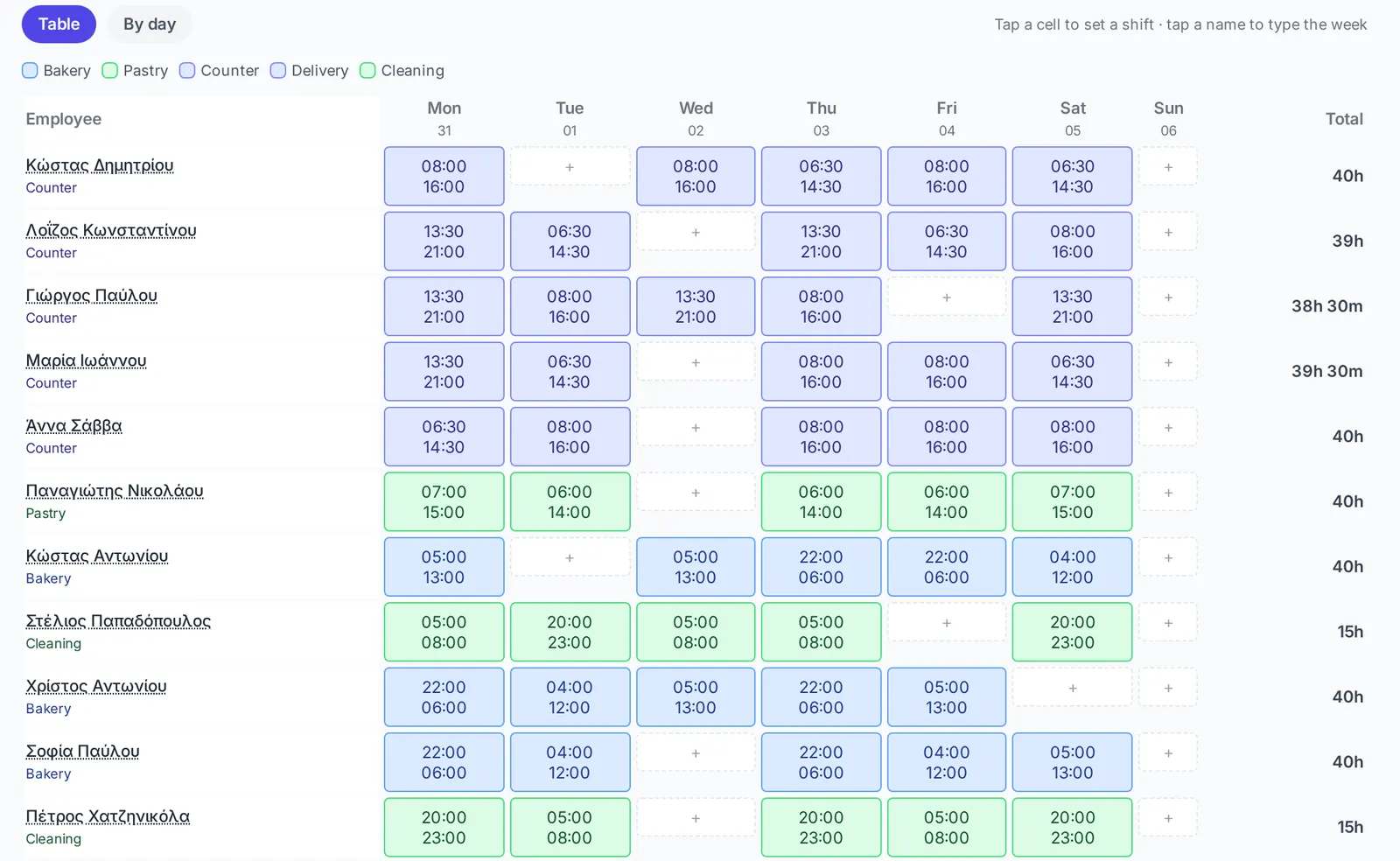
Quote and approve
Send a quotation. Your client approves it online, and it becomes a job.
Do the job
Schedule it and assign your people. Add Time & Attendance to track their hours.
Invoice and book it
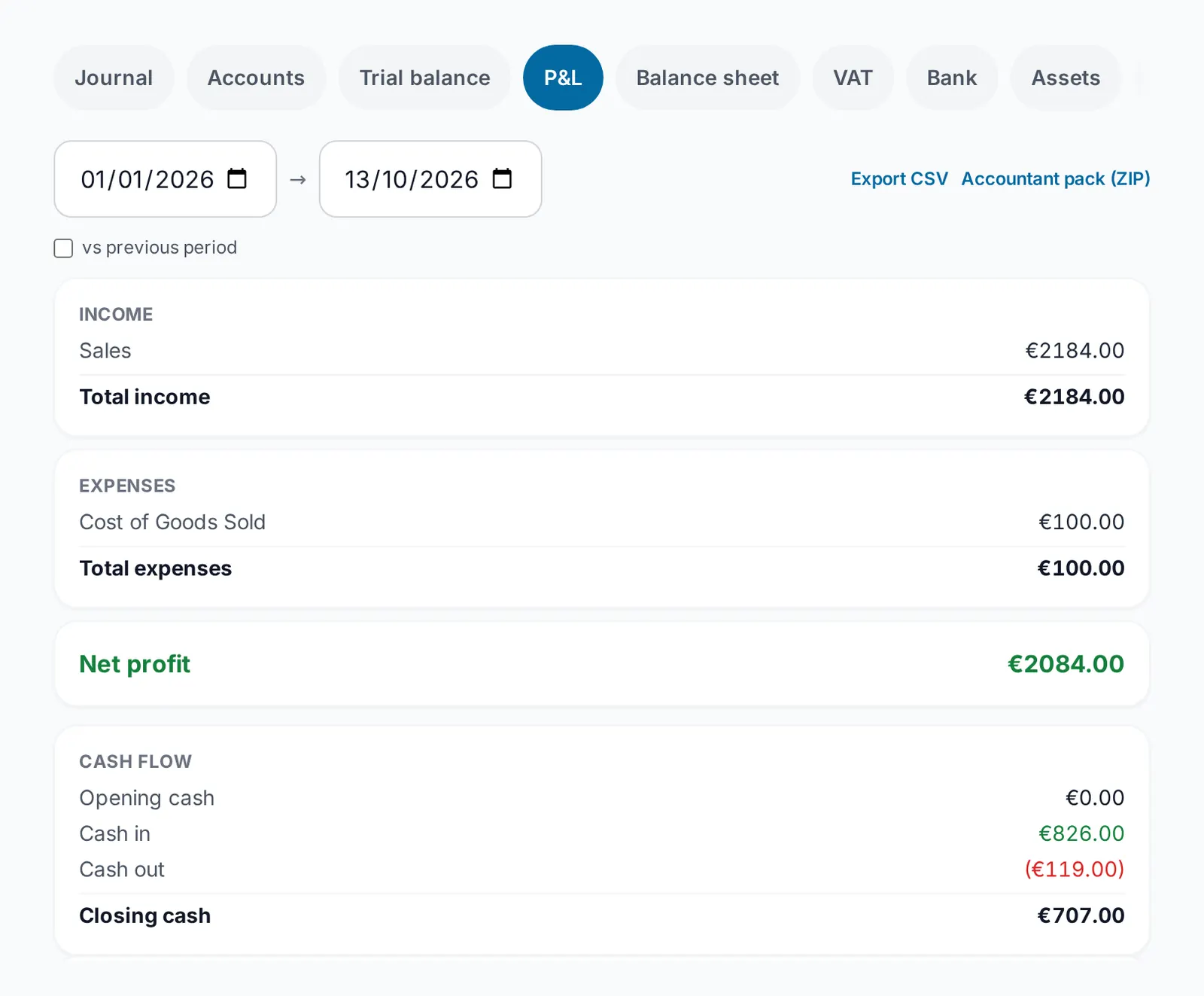
Invoice in a tap. With the Accounting module, payments and expenses land in double-entry accounts with VAT return figures.
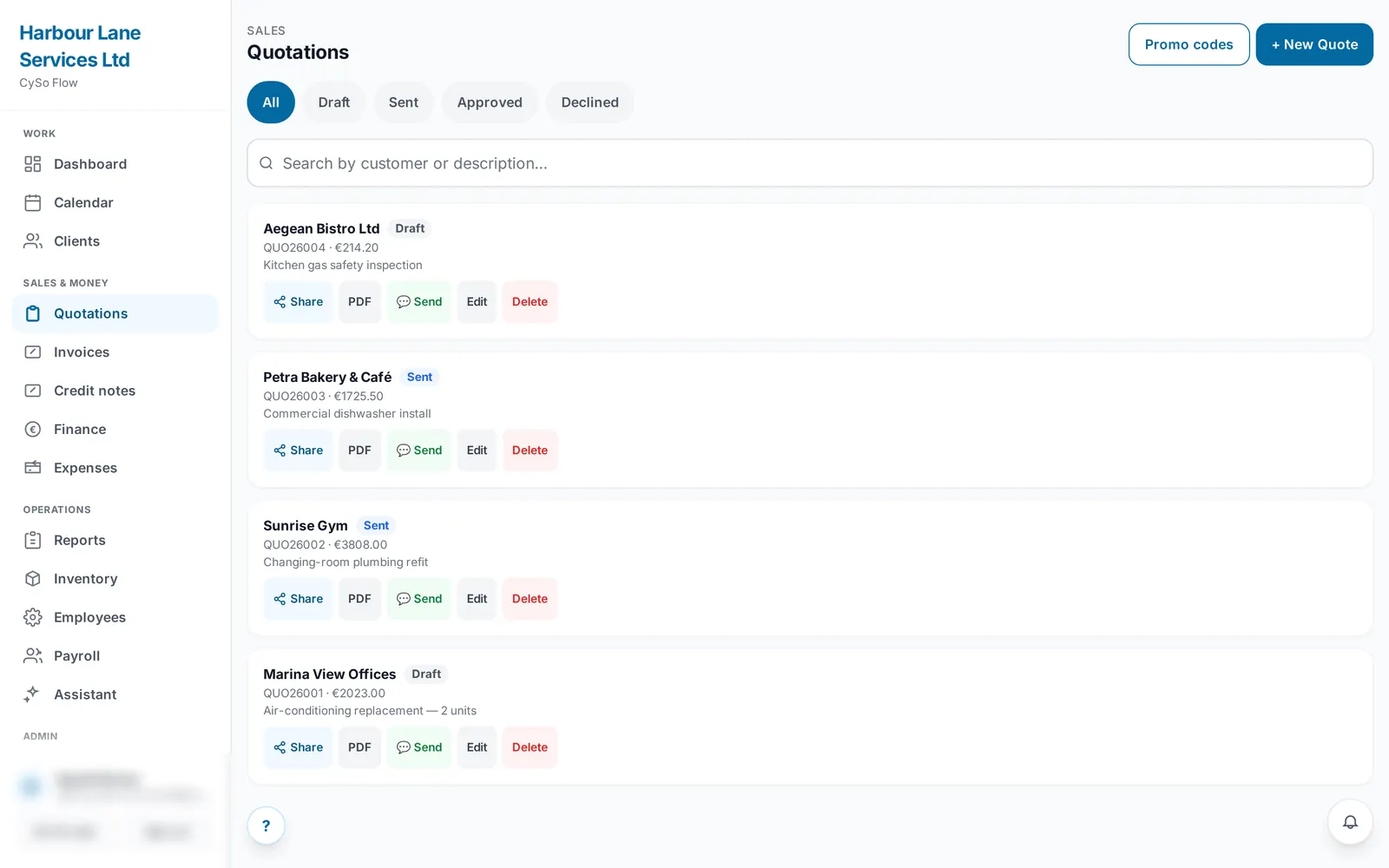
Add-on module: Time & Attendance
Know who is working, and where.
- A weekly rota by role and location, with each person's total hours
- Staff clock in and out from their phone
- Optional work zones: a clock-in outside the zone is refused
- Timesheets ready for payroll, and leave requests in one place
Time & Attendance replaces the separate CySo Time app, which is now part of Flow.
Add-on module: Accounting
Books that stay up to date.
- Double-entry accounting behind every invoice, payment and expense
- Cyprus VAT return figures, and the period locked once you have filed
- Aged balances and account reports
Flow prepares the VAT figures. You still submit the return yourself, through the Tax Department's online portal.
Modules for every part of the business
Start with the free core, then switch on what you need from inside the app.
- Quotations
- Invoices
- Finance
- Expenses
- Bank
- Calendar
- Clients
- Workshop
- Equipment
- Delivery
- Inventory
- Purchasing
- Warehouse
- Point of sale
- Loyalty
- Employees
- Time & Attendance
- Payroll
- Accounting
- AI Accountant
- AI Assistant
- Team and roles
- Activity log
- Integrations
Works with CySo Invoicing
Started on CySo Invoicing? Bring it with you.
Link your CySo Invoicing app to your Flow account and the two stay in step. Customers, products and documents sync both ways, with one numbering series, so nothing is typed twice. Workshop and Flow's other modules stay in Flow. Create the sync key in Flow's Settings, on any paid plan (from Starter). Only the business owner can create the key, and both apps must use the same currency.
- Customers
- Products
- Quotations
- Invoices
- Receipts
- Credit notes
- Expenses
While the two are linked, issuing a numbered document needs an internet connection; drafts still save offline. Issued invoices, receipts and credit notes can then no longer be changed: they are voided or credited, in either app. Each app keeps its own stock count.
AI connector ChatGPT directory listing pending
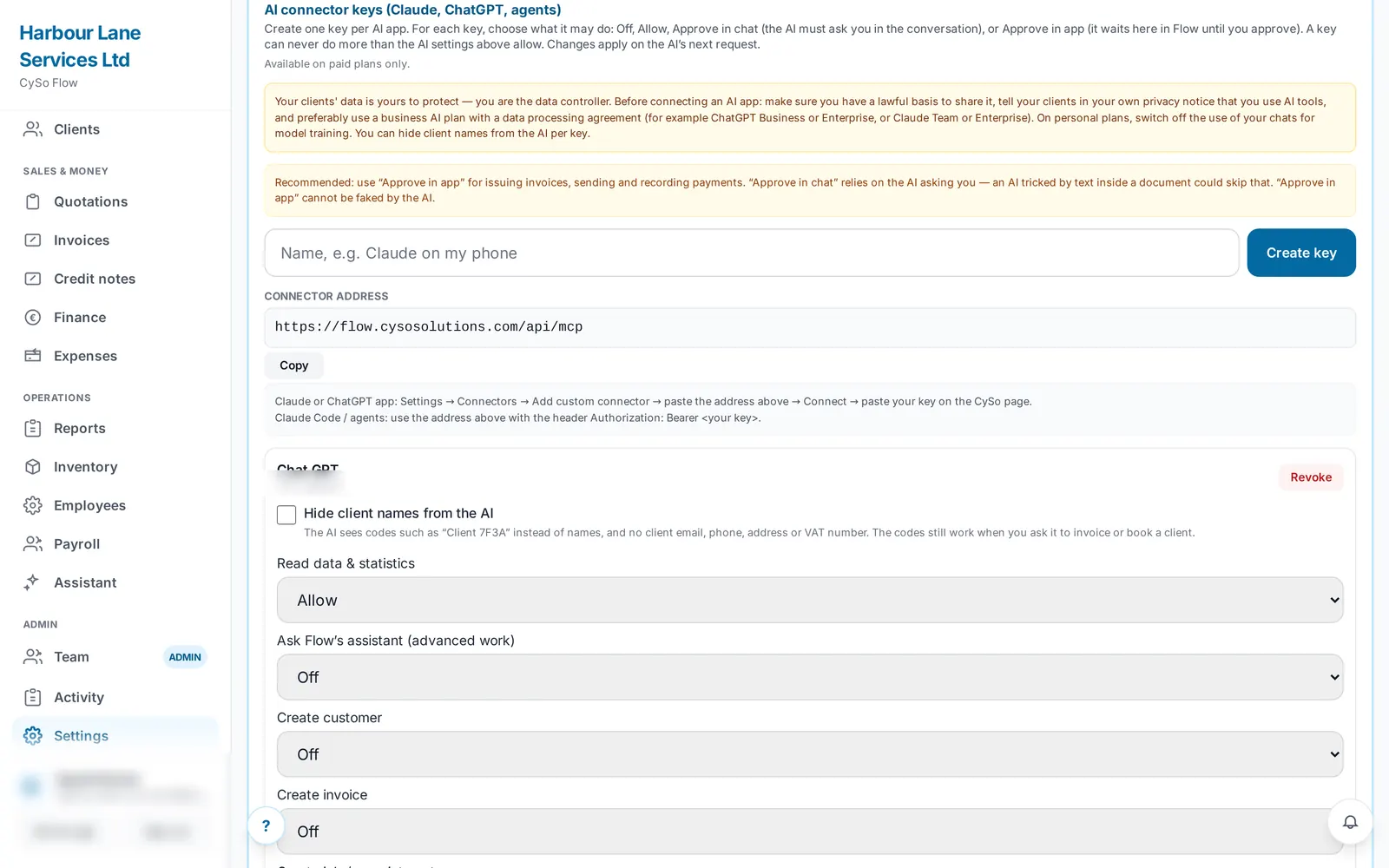
Run Flow by asking.
"What's on tomorrow?" "Which invoices are overdue?" "Book a job for Andreas on Friday." Connect ChatGPT or Claude to Flow on any paid plan; accounts, VAT, shifts and the other modules also need the AI Assistant add-on. Actions that cannot be undone always ask you to confirm. It works today as a custom connector.
Prices
Prices exclude VAT. Add-ons such as Accounting, Payroll or Time & Attendance are priced per module, from €5 a month; each one shows its price in the app before you switch it on. See all modules.
Free
€0
Just you: quotations, tax invoices, a calendar and your clients.
Starter
€25 / month
€250 a year. 1 user. Adds service reports, the AI connector and the sync with CySo Invoicing.
Pro
€55 / month
€550 a year. 3 users. Adds expenses, subscriptions, bank and purchasing, and opens the add-ons.
Teams
€119 / month
€1,190 a year. Includes 5 user licences. Licences 6 to 25 (up to 20 more) are charged extra: €18 a month each, or €180 a year.
Legal and data
Flow publishes its own privacy notice, terms and data-processing agreement.
See your week in Flow.
Start on the free plan. See plan prices.